 seolounge





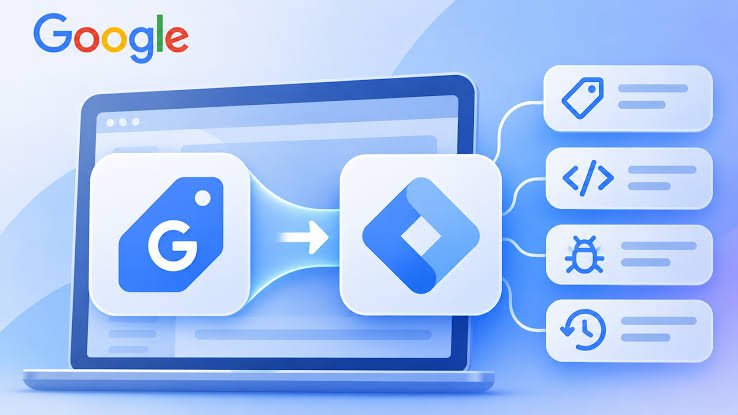
Google is bringing its Google tag and Google Tag Manager capabilities closer together to make website tracking easier to manage. The update gives websites using only the Google tag access to advanced features such as interface-driven tagging, debugging, and version control without requiring a separate Tag Manager setup.
Announced in Google’s November 17, 2026 release notes, the change is designed to simplify how businesses manage website measurement and track important user actions. Each Google tag will become a Tag Manager container, while existing tracking behavior is expected to remain unchanged. Tag Manager Help+1
This update is important for digital marketers, developers, ecommerce businesses, and advertisers who depend on accurate conversion tracking to measure website performance and advertising results.
What Is Changing in Google Tag and Google Tag Manager?
Google tag and Google Tag Manager have traditionally offered different ways to manage website tracking.
The Google tag is commonly used to connect websites with Google products such as Google Analytics 4 and Google Ads. Google Tag Manager provides a more flexible interface for managing multiple tracking tags, triggers, and variables without repeatedly editing website code.
With the new update, Google is bringing these capabilities together. Each Google tag will become a fully capable Tag Manager container.
This means websites that currently use only the Google tag can access more advanced tagging and management features through the updated interface.
Google says the change will not affect how existing Google tags behave on websites. Each Google destination will also retain its own tag, helping preserve existing configurations and automated event triggers.
1. Advanced Tagging Features Become More Accessible
One of the biggest changes is that Google tag users will gain access to features previously associated with Google Tag Manager.
These include:
- Interface-driven tagging.
- Advanced event tracking.
- Debugging tools.
- Version control.
- Centralized tag management.
Previously, businesses using only the Google tag had fewer management options compared with websites using a full Tag Manager setup.
The new system aims to make these capabilities more accessible without requiring businesses to completely rebuild their tracking infrastructure.
This can be particularly useful for small businesses and marketing teams that want better control over website measurement without depending on developers for every tracking change.
2. Google Introduces Visual Tagging
Another important development is visual tagging, which allows advertisers to create events and configure conversions by selecting elements directly on their websites.
Instead of manually writing code or configuring every technical detail, users can interact with website elements to define the actions they want to measure.
For example, an ecommerce business may want to track when a customer completes a purchase.
With visual tagging, advertisers can select the relevant website element and configure the event through the interface. Google handles technical details such as selectors and triggers in the background.
This feature is designed to reduce the technical effort required for conversion tracking.
Google has introduced visual tagging in beta for purchase conversions in Google Ads, with plans to expand availability to additional use cases.
3. New Deployment Snippets Will Use a Common Format
Google is also standardizing the deployment snippets used for its tagging products.
Under the updated approach, new Google tag and Tag Manager deployment snippets will use the same format. These snippets will no longer include the traditional gtag('config') command.
Instead, Google recommends configuring initialization behavior through standard Google Tag Manager initialization triggers.
For businesses that need to preserve their existing configuration, an Initialization trigger can also be configured to wait for the config command.
This change is particularly important for developers and analytics professionals who manage custom tracking implementations.
Before changing an existing setup, teams should review their current configuration and understand how their tags are initialized.
4. Better Debugging and Version Control
Debugging is an important part of website analytics because incorrectly configured tags can lead to missing or inaccurate measurement data.
The unified tagging system brings debugging capabilities closer to the Google tag experience.
With version control, teams can manage changes to their tagging configuration and maintain a record of different versions.
This can make it easier to identify when a tracking issue started and review previous configurations if something goes wrong.
For example, if an advertising team updates a conversion event and notices that purchase tracking stops working, version management can help them investigate the changes.
Google Tag Assistant also provides tools to review tags, events, and data collected from a website.
These features can help marketing teams and developers identify tracking problems before they affect campaign reporting.
5. Google Unifies Tagging Permissions
Managing access to tracking information is another part of the update.
Google Tag Manager container permissions will now apply across the unified tagging experience. This means access to data in Tag Assistant will be managed through the permissions already used in Google Tag Manager.
For businesses working with multiple marketing teams, developers, and external agencies, this can make access management more consistent.
Administrators should review their existing permissions and make sure only the appropriate people can view, edit, approve, or publish tagging changes.
This is especially important for websites that collect customer information and depend on accurate measurement configurations.
6. What Existing Google Tag Users Should Do
Google says the update will preserve existing in-page tag behavior. However, businesses should still review their tracking setup to understand how the new features apply to their websites.
Here are some useful steps:
Review your current installation: Identify whether your website uses the Google tag directly, Google Tag Manager, or a combination of different tracking methods.
Check your Google destinations: Review connections with Google Analytics 4, Google Ads, and other supported Google measurement products.
Test important conversions: Make sure important events such as purchases, form submissions, phone calls, and lead enquiries continue to work correctly.
Review user permissions: Check who has access to your tagging containers and Tag Assistant data.
Check unsupported installations: Google says installations that do not follow supported setup methods will receive the upgrade in January 2027. Businesses with these configurations should review Google’s installation guidance and make adjustments before the upgrade.
You can find more information in Google’s official Google Tag Manager release notes.
How This Update May Affect Digital Marketing
Accurate tracking is essential for digital marketing because businesses use measurement data to understand website visitors, evaluate advertising campaigns, and improve conversion rates.
For example, Google Ads uses conversion information to help advertisers understand which campaigns generate valuable actions. Google Analytics 4 helps businesses analyze user activity and website performance.
When tracking systems are difficult to manage, businesses may experience missing events, duplicate conversions, or inaccurate reports.
By bringing tagging, debugging, and version control closer together, Google aims to create a more consistent measurement experience.
The update may also reduce the amount of manual work required for certain tracking tasks, allowing marketing teams to spend more time analyzing campaign performance.
However, automation does not remove the need for proper testing. Businesses should continue checking their tracking configurations and validating important conversion events.
Prepare for Google’s Unified Tagging Experience
Google’s decision to bring Google tag and Google Tag Manager capabilities together represents an important change in website measurement.
The new system provides more accessible tagging controls, improved debugging options, version management, visual tagging, and centralized permissions.
For businesses, these improvements could make conversion tracking easier to manage and help teams maintain better measurement setups.
The best approach is to review your existing implementation, understand the new initialization process, and test important tracking events before making configuration changes.
As digital advertising becomes more data-driven, businesses that maintain accurate and reliable tracking will be better prepared to measure their marketing performance.
