 seolounge




A website SEO audit is one of the best ways to find problems that may stop your website from ranking on Google. Even if you publish quality content, your website may not perform well if it has technical issues, slow loading pages, or poor optimization.
A complete SEO audit helps you identify these issues and improve your website for better rankings, more traffic, and a better user experience. In this guide, you’ll learn a simple SEO audit checklist that every website owner should follow.
1. Check Website Speed
Website speed is an important Google ranking factor. A slow website can increase bounce rates and reduce conversions.
Checklist:
- Test your website with Google PageSpeed Insights.
- Compress large images.
- Enable browser caching.
- Minify CSS and JavaScript files.
- Choose reliable web hosting.
A fast website improves both SEO and user experience.
2. Make Sure Your Website Is Mobile-Friendly
Most users visit websites from their smartphones. Google also uses mobile-first indexing.
Checklist:
- Responsive website design
- Easy-to-read text
- Clickable buttons
- Fast mobile loading speed
- Proper spacing between elements
3. Check Indexing Status
Your important pages should be indexed by Google.
Checklist:
- Search site.com on Google.
- Check Google Search Console for indexing issues.
- Submit an updated XML sitemap.
- Remove unnecessary noindex tags.
4. Optimize Page Titles and Meta Descriptions
Every page should have a unique SEO title and meta description.
Checklist:
- Include the target keyword naturally.
- Keep titles around 50–60 characters.
- Keep meta descriptions between 150–160 characters.
- Make titles attractive for higher click-through rates.
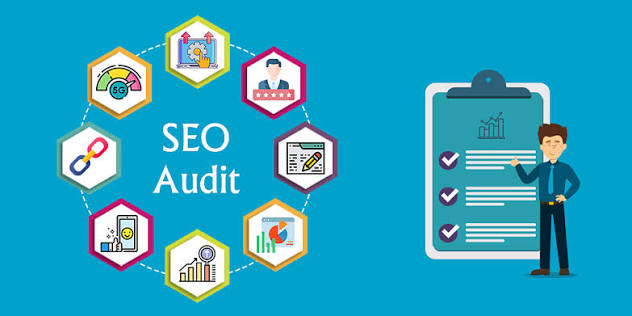
5. Improve On-Page SEO
On-page SEO helps search engines understand your content.
Checklist:
- Use one H1 heading.
- Add H2 and H3 headings.
- Include keywords naturally.
- Optimize images with alt text.
- Write clear and helpful content.
Avoid keyword stuffing. Focus on providing value to readers.
6. Check Internal Linking
Internal links help users and search engines navigate your website.
Checklist:
- Link related blog posts.
- Connect service pages.
- Fix broken internal links.
- Use descriptive anchor text.
Good internal linking improves website structure and keeps visitors engaged.
7. Fix Broken Links
Broken links create a poor user experience.
Checklist:
- Find 404 pages.
- Update or remove broken links.
- Redirect deleted pages when necessary.
- Check both internal and external links.
8. Optimize Images
Large images can slow down your website.
Checklist:
- Compress images.
- Use descriptive file names.
- Add keyword-rich alt text where relevant.
- Use modern image formats like WebP when possible.
9. Review Technical SEO
Technical SEO ensures search engines can crawl your website properly.
Checklist:
- HTTPS security
- XML sitemap
- Robots.txt file
- Canonical tags
- Structured data
- Core Web Vitals
Regular technical audits help maintain your website’s health.
10. Check Content Quality
Google rewards websites that provide useful and original content.
Checklist:
- Remove duplicate content.
- Update outdated articles.
- Answer user questions clearly.
- Add images, videos, or infographics where helpful.
- Improve readability with short paragraphs and headings.
High-quality content builds trust and improves rankings.
11. Analyze Backlinks
Backlinks remain an important ranking factor.
Checklist:
- Review your backlink profile.
- Remove or disavow harmful links if necessary.
- Earn links from trusted websites.
- Build backlinks naturally through quality content.
Quality backlinks are more valuable than a large number of low-quality links.
12. Monitor User Experience
A positive user experience encourages visitors to stay longer on your website.
Checklist:
- Clear navigation
- Easy-to-use menus
- Fast page loading
- Mobile-friendly design
- Easy-to-read fonts
- Simple contact forms
Happy users often lead to better engagement and improved SEO performance.
13. Use Google Search Console and Google Analytics
These free tools provide valuable insights into your website’s performance.
Track:
- Organic traffic
- Keyword rankings
- Click-through rate (CTR)
- Indexing issues
- Page performance
- User behavior
Regular monitoring helps you identify opportunities for improvement.
Why Work with SEO Professionals?
A complete SEO audit involves technical analysis, content optimization, keyword research, and ongoing improvements. Working with a professional seo company in india ensures your website follows the latest SEO best practices and Google’s guidelines.
Experienced search engine optimisation specialists can identify issues that are often overlooked and develop a customized strategy to improve your website’s visibility, traffic, and conversions.
If you’re looking for an award-winning digital marketing agency, choose one that offers transparent reporting, ethical SEO practices, and measurable results. A reliable agency focuses on long-term growth rather than short-term ranking gains.
Businesses searching for the Best Digital Marketing Company in India should look for a team with proven experience, technical expertise, and a strong track record of helping clients achieve sustainable online success.
What is a website SEO audit?
A website SEO audit is a detailed review of your website to identify issues that may affect its search engine rankings. It checks technical SEO, on-page SEO, content quality, backlinks, website speed, and user experience.
How often should I perform an SEO audit?
It is recommended to perform a complete SEO audit every 3 to 6 months. Regular audits help keep your website updated with Google’s latest algorithm changes and SEO best practices.
What tools can I use for an SEO audit?
Some popular SEO audit tools include Google Search Console, Google Analytics, Google PageSpeed Insights, Ahrefs, SEMrush, Screaming Frog, and GTmetrix. These tools help identify technical issues and optimization opportunities.
Can a professional SEO company in India help with an SEO audit?
Yes. A professional seo company in india has the expertise to perform a detailed website audit, identify technical and content-related issues, and create a customized SEO strategy to improve your rankings and traffic.
Does website speed affect SEO rankings?
Yes. Website speed is an important ranking factor. A fast-loading website improves user experience, reduces bounce rates, and can help improve your search engine rankings.
What is the difference between on-page SEO and technical SEO?
On-page SEO focuses on optimizing content, keywords, headings, and meta tags, while technical SEO focuses on website structure, indexing, crawlability, page speed, XML sitemaps, and security.
A website SEO audit is not a one-time task. Search engine algorithms, user behavior, and website technologies continue to evolve. Regular audits help you identify problems early, improve your website’s performance, and maintain strong search rankings.
By following this SEO audit checklist, you can build a healthier website that delivers a better experience for users and performs well in search results. Whether you manage your SEO in-house or partner with experienced professionals, consistent optimization is the key to long-term online growth.
